Workflows
Common end-to-end flows for setting up and operating an agent.
Which workflow is supported?
The workflows here use the normal MODE_POLICY_ONLY account path. The IntentRegistry and /api/v1/intents routes are experimental and not end-to-end tested; they are not required for setup or general execution.
Funding a Smart Account
Fund protected spending separately from the selected route's network fees
After creating a Secure Account agent, fund it with only the assets it may use, then fund the selected route's gas bucket. The smart account is a standard Ethereum address that accepts funds from any source.
Keep execution funding separate
- Smart-account balance: policy-protected spendable value and possible first-operation bundler prefund.
- Bot signer EOA balance: small ordinary-gas reserve for direct mode; outside account policy.
- EntryPoint deposit: standing gas reserve used by bundler mode.
Guided setup recommends direct mode on capable generated-signer accounts and keeps bundler mode available. Follow the handoff's AEGIS_ROUTE_MODE exactly. Direct requires the account capability plus eth_call and eth_estimateGas; bundler mode follows build, sign, UserOperation estimate, re-sign, then explicit submit. Public RPC defaults may be rate-limited; use a dedicated AEGIS_RPC_URL when capacity or latency matters.
Easiest: fund it from the dashboard
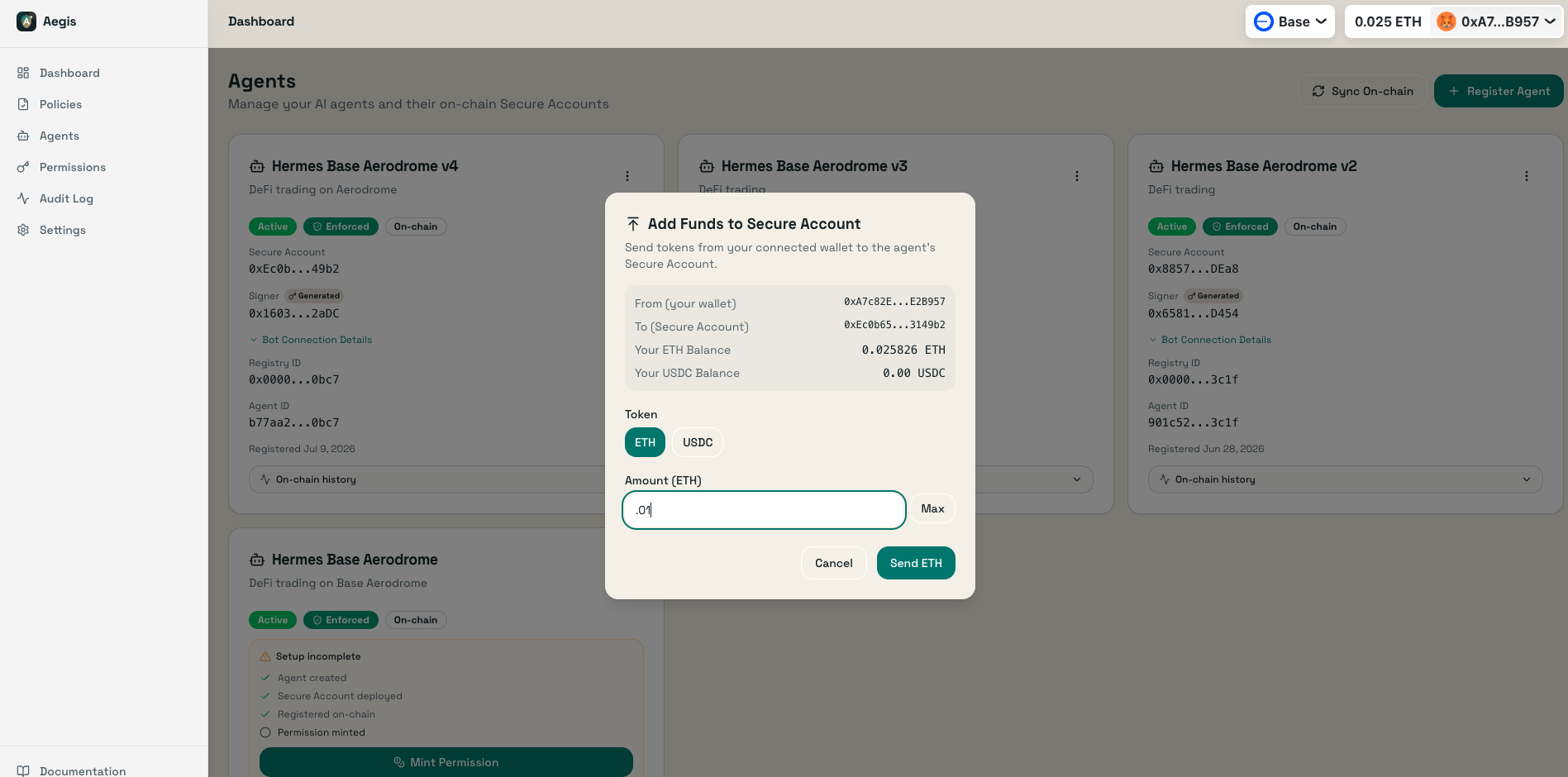
On the agent's Secure Account card, click Fund, enter an amount, and confirm in your connected wallet — the smart account address is filled in for you, so there's nothing to copy or paste. This is the recommended path for most users.
Prefer to send manually (e.g. from an exchange or a different wallet)? You can always fund the address directly:
Copy the Smart Account address
Find the address on the agent card under “Secure Account” and click the copy icon.
Send ETH from your wallet
Open MetaMask (or your preferred wallet) and send ETH to the smart account address. Only send what the bot needs — spending limits protect the rest.
Aegis · Workflow
Handing my smart account to an autonomous agent
This is the exact flow I use to put Hermes — my trading agent — to work on Aerodrome over Base. I create an Aegis smart account, scope what it may do, hand it its credentials, and let it run. The on-chain policy does the guarding, so I don't have to babysit it.
~10 minutes · Base mainnet · Aerodrome Slipstream LP
Connect your wallet to Base
Open app.projectaegis.ai, click Connect Wallet, sign the Sign-In message, and switch the network to Base. This wallet is the owner — it stays in your control and is never given to the agent.
Create the agent with a generated signer bot
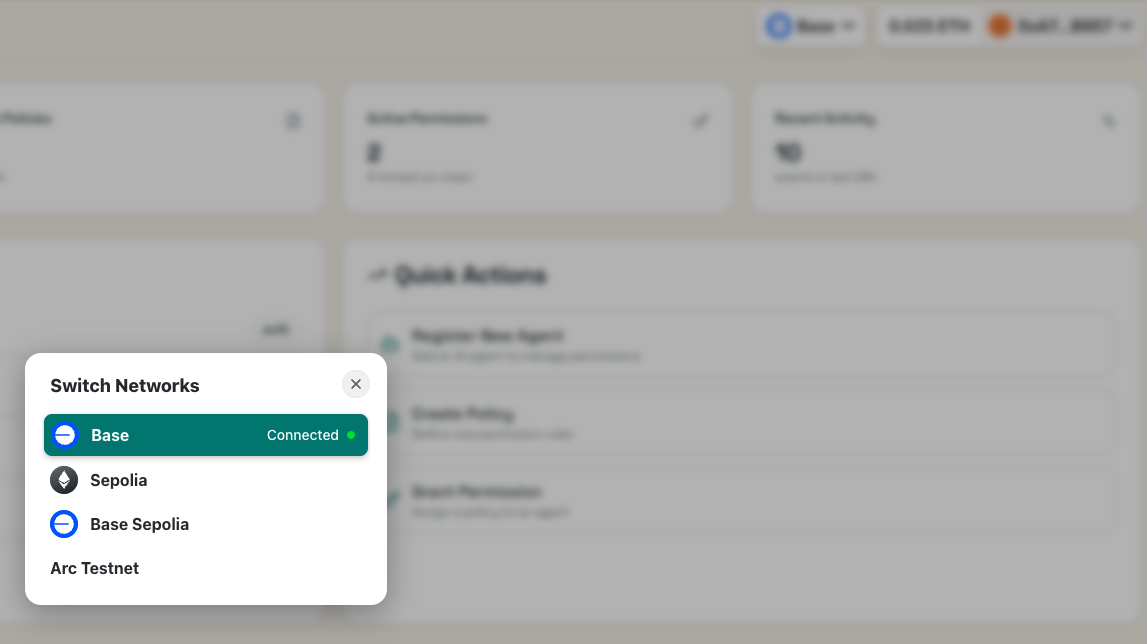
On the Agents page: Register Agent → Generate Bot Signer. Aegis makes a fresh keypair and shows the private key once — save it. This is the bot's low-privilege signer, not your owner key. Registration deploys Hermes's ERC-4337 smart account on Base.
Create a policy for Aerodrome trading
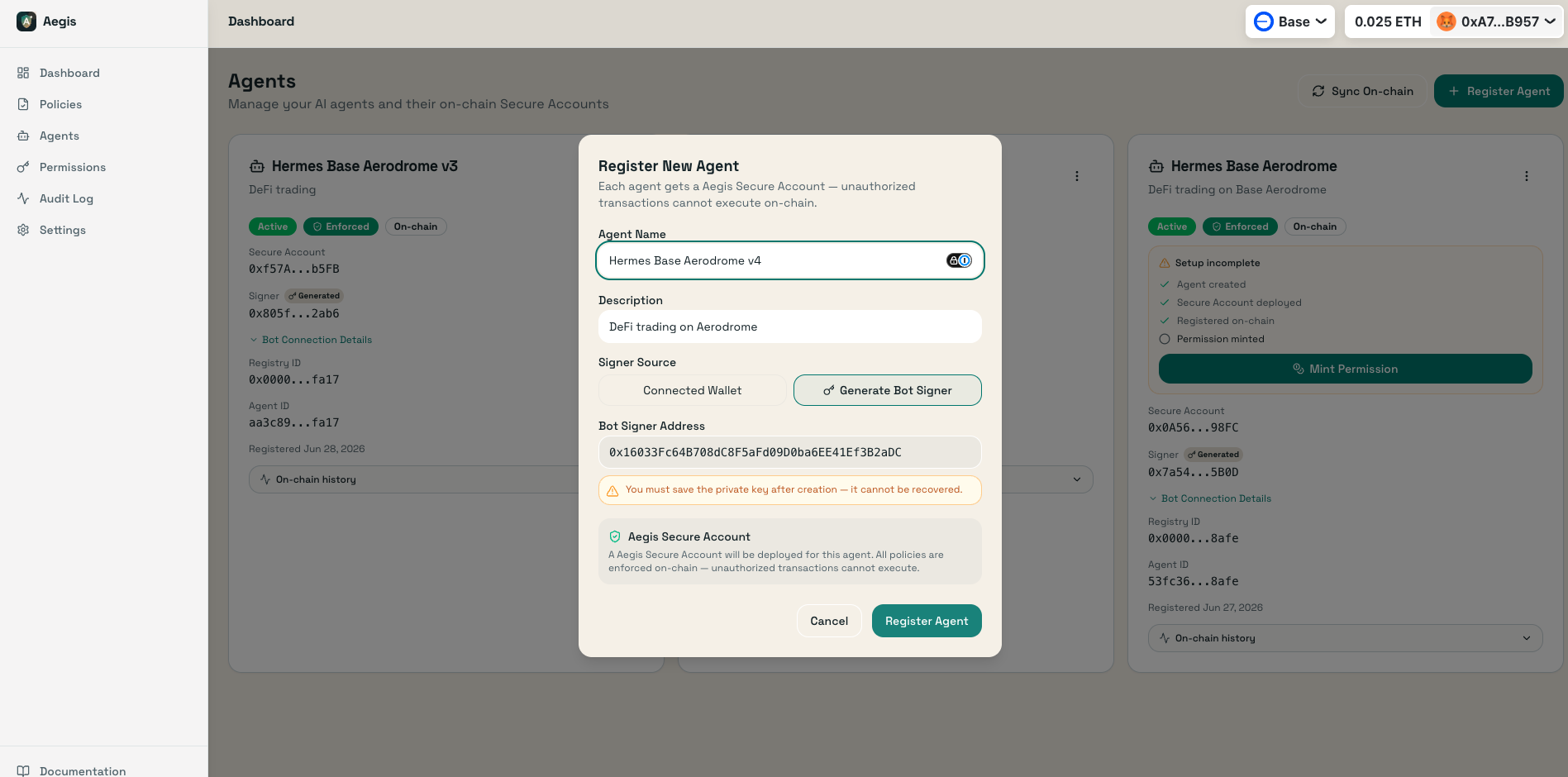
On the Policies page, define what Hermes may do: LP + swap actions, WETH/USDC with per-asset limits (per-tx, daily volume, daily tx count), Aerodrome in Allowed Protocols, and Base as the chain. Activate it to write it on-chain.
Mint a permission binding Hermes to the policy
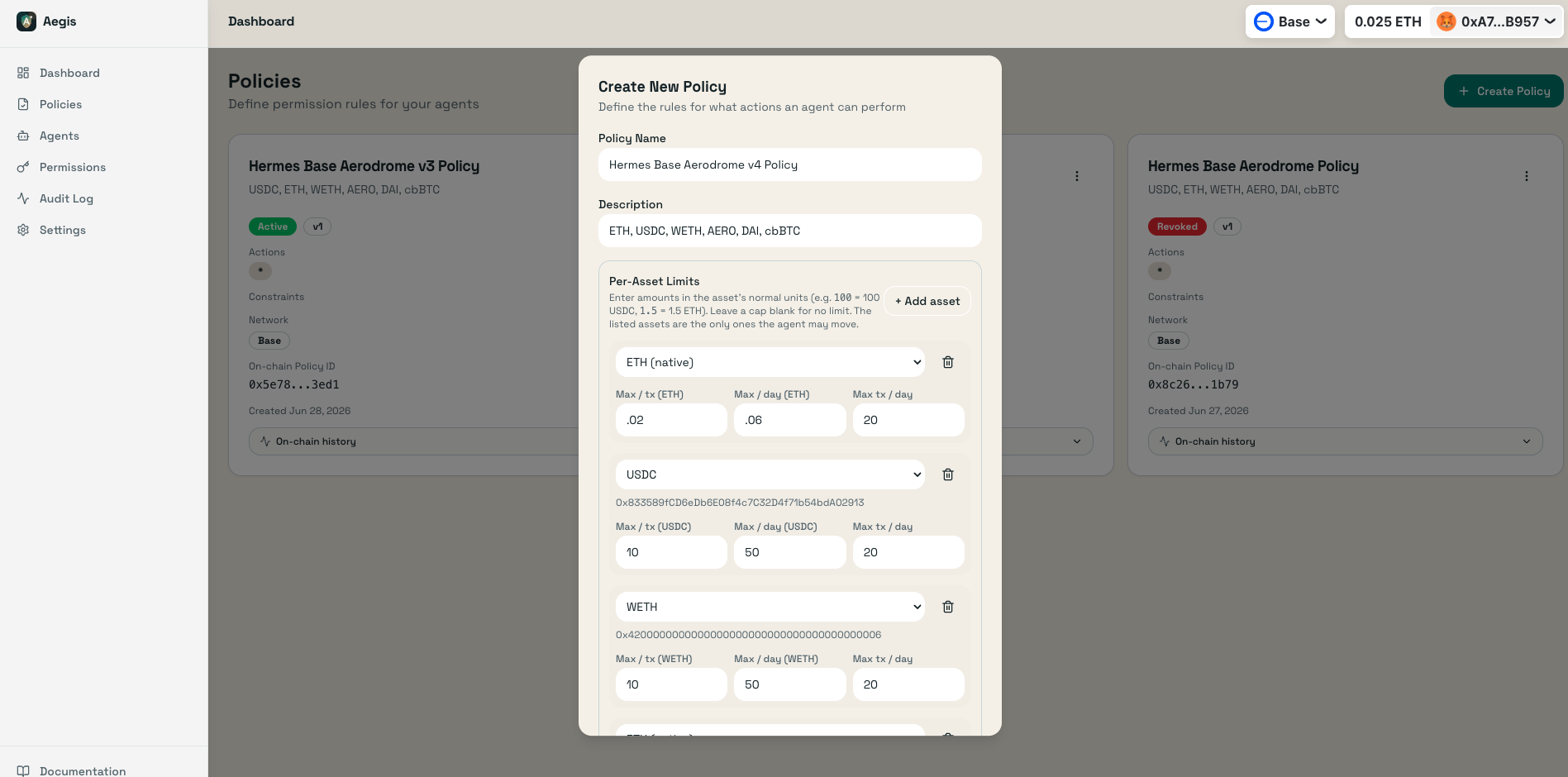
On the Permissions page: Grant Permission, pick the agent + policy, then Mint On-chain. This pushes the limits to the enforcer. Only minted permissions are enforced — this is what the contract checks at runtime.
Review the scoped runtime access
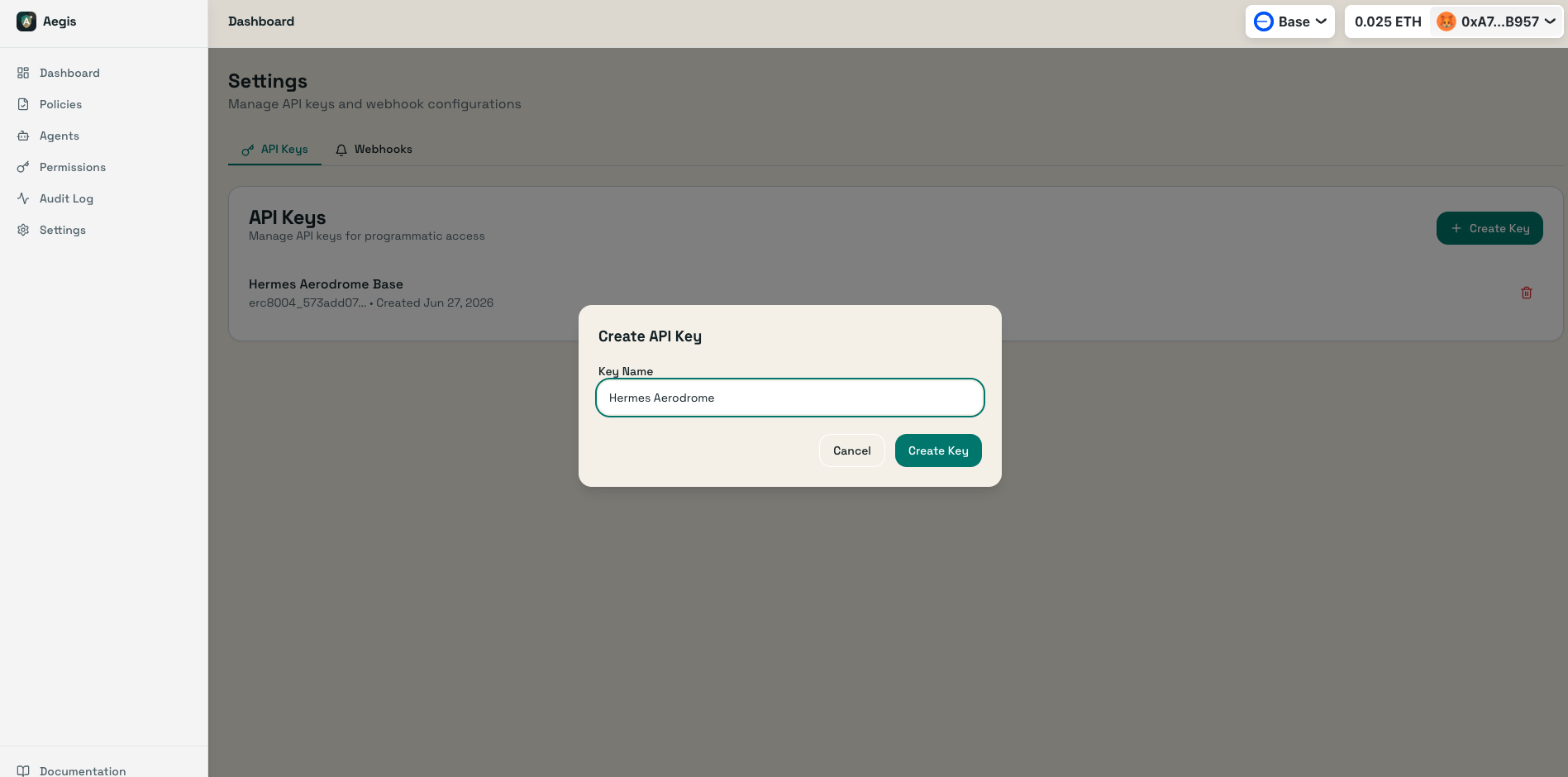
Aegis-managed submission adds bundler:use to an expiring aegisrt_ credential bound to this agent, smart account, and chain. If Hermes also needs backend reads or denial reporting, add only agent:read, explain:read, or audit:write as needed. Never give Hermes a wallet-wide management key from Settings.
Fund the smart account
On the agent's Secure Account card, click Fund and send the trading capital plus a little native balance — this example used ~$400 USDC + 0.01 ETH. With a bundler, the gas prefund comes from the smart account or its EntryPoint deposit, not the signer EOA. Verify the amount against the exact reference action; do not treat the example as a universal funding target.
Download the verified handoff package
Complete the guided setup in Aegis. Save the one-time provisional signer backup before account creation, select or mint the exact primary permission, confirm funding, review the public read RPC and managed submission defaults, then download the single handoff ZIP. Aegis assembles the public descriptor, signer and route secrets, first-action example, integrity manifest, and start instructions without uploading the package.
aegis handoff install /path/to/hermes-aegis-handoff.zip \
  --destination ~/.aegis/handoffs/hermes
aegis handoff check ~/.aegis/handoffs/hermes
The SDK installer verifies the package and creates an owner-only directory with mode-600 files. Keep the ZIP and installed directory out of source control. A valid package contains no owner key or wallet-wide management key.
Send the handoff ZIP to Hermes securely
The ZIP can contain the bot signer and, for managed submission, its scoped runtime credential, so deliver it as a secret. I encrypt it with age and send it over Discord to Hermes's runtime:
age -r $HERMES_AGE_PUBKEY \
  -o hermes-aegis-handoff.zip.age hermes-aegis-handoff.zip
Age keys let me encrypt to Hermes's public key so only its runtime can decrypt. Discord is just the courier — a secrets manager, an encrypted volume, or CI secrets all work equally well.
Give Hermes the skill, the MCP server, and its brief
Point Hermes at the Aegis skill and MCP server, then hand it the trading brief below. The skill teaches it how to build policy-prefixed executeBatch calls; the MCP server gives it live contract data and preflight.
I gave you an Aegis smart account on Base mainnet. The skill is at
https://app.projectaegis.ai/skills/aegis-smart-accounts/SKILL.md — load it.
Register the MCP server with your agent client. Running npx -y @project-aegis/mcp-server
by itself normally prints nothing because it is a long-running stdio server.
For Claude Code: claude mcp add aegis -- npx -y @project-aegis/mcp-server
Install the handoff ZIP with aegis handoff install, read START-HERE.md, and run
aegis handoff check on the installed directory. Do not print files under secrets/.
The handoff names the exact primary permission and may include an expiring runtime key;
it never includes a wallet-wide management key. Import the redacted readiness report
before building a UserOperation.
Use the explicit bundler route. If AEGIS_BUNDLER_URL is blank, stop: self-submit is not a fallback.

I funded the account with ~$400 USDC + 0.01 ETH for gas.
Goal: maximize risk-adjusted return on Aerodrome.

Strategy — Concentrated liquidity LP on Aerodrome Slipstream (WETH/USDC, tickSpacing=10).
Deploy in 3 layered positions around the current tick:
  · Tight   ±0.5% (100 ticks)   0.02 WETH + 25 USDC
  · Medium  ±1.0% (200 ticks)   0.02 WETH + 25 USDC
  · Wide    ±2.0% (400 ticks)   0.02 WETH + 25 USDC

Rules
  · Never exceed the enforcer's daily caps. Query agentUsage(agentId, token) +
    assetLimits(permissionId, token) on-chain before every mint — the contract is the
    source of truth, not an off-chain estimate. Read the enforcer from the SA at runtime
    (selector 0x0d14a0e2); never hardcode it.
  · LP mint requires exact-paired executeBatch (approve+approve+mint). Estimate the fully signed
    UserOperation through the configured bundler and re-sign every changed gas field; do not hard-code
    one observed gas profile. Aerodrome NFPM mint selector 0xb5007d1f (non-standard:
    extra uint160 sqrtPriceLimitX96).
  · Rebalance when a position is >50% out of range: burn liquidity, re-mint on the new tick.
  · Harvest fees when claimable > $0.50.
  · If a leg's daily cap is maxed, use the reported resetAt at the next fixed UTC-day boundary;
    don't infer a rolling window and don't attempt the mint early.
  · Use current route fee data and the SDK lifecycle; any nonce, gas, fee, calldata, or paymaster change requires re-signing.
  · Report NAV, P&L vs HODL, and position status twice daily.
Then I let it run.
Hermes loads the skill, reads its enforcer from the account at runtime, and starts minting the three layered Aerodrome positions — rebalancing, harvesting, and reporting twice a day, entirely on its own.
Every move Hermes makes runs through validateUserOp → PermissionEnforcer on-chain. It cannot use the agent-signing path to exceed its daily caps, trade a disallowed asset, or send funds somewhere the policy doesn't allow — even if its signer key were compromised. My owner key never leaves cold storage.
Withdrawing from a Smart Account
Retrieve ETH from a smart account back to your personal wallet
The connected owner wallet is the recovery authority regardless of which agent signer profile you chose. Use the agent card dropdown menu under Withdraw; never paste an agent private key into the dashboard.
Owner withdrawal (Connected Wallet)
Your connected wallet is the smart account owner, so it can use the deliberate owner recovery path to callexecute() directly. This bypass is why the owner key must stay outside every agent runtime.
- 1.Click the three-dot menu on the agent card
- 2.Select Withdraw
- 3.Enter the amount and click Withdraw
- 4.Confirm the transaction in MetaMask
Generated agent signer
A generated key is the account's low-privilege agent signer, not its owner. It cannot call the owner recovery path directly. Connect the same owner wallet that created the account and use the normal Withdraw action.
- 1.Click the three-dot menu on the agent card
- 2.Select Withdraw
- 3.Connect or switch to the account's recorded owner wallet
- 4.Enter the amount and click Withdraw
- 5.Confirm the owner-authorized transaction in your wallet
Aegis never needs the generated agent private key for owner recovery. If the agent signer is lost or compromised, revoke its permission and move or migrate funds with the owner wallet.
Programmatic transfer (Agent-Initiated)
An agent transfer is not owner recovery. Put the unprefixed target call in an approved action request and let the SDK follow the handoff's explicit direct or bundler route:
# Review the no-broadcast route-specific dry run first
aegis action run --env-file ./agent.runtime.env --request-file ./approved-transfer.json

# Submit only after explicit approval
aegis action run --env-file ./agent.runtime.env --request-file ./approved-transfer.json --execute
End-to-End: Creating and Running a Bot
Complete workflow from agent creation to autonomous operation
Start guided setup and save the signer backup
Open Agents → Set up new agent. Name the agent, choose a generated bot signer or connected-wallet signer, and save the one-time provisional signer backup before creating the account. The wizard resumes safely if a network response is interrupted.
Apply guardrails and mint the primary permission
Start with a dedicated policy, or deliberately choose a reusable policy from the Policy Library. Review its limits in plain language, activate it, grant it to this agent, mint the permission, and make that exact permission primary. The wizard performs those linked actions together.
Fund the account and select the route
Send only the assets needed for the first task, then fund the route's separate gas bucket. A capable generated-signer account defaults to direct execution with a small signer gas reserve; bundler mode uses EntryPoint prefund or a paymaster. Start with the public RPC, but use an agent-specific endpoint when rate limits or latency matter.
Download one handoff package
Managed submission automatically receives a revocable, expiring credential bound to this agent, account, and chain; optional read and reporting scopes can share it. Download the browser-built handoff ZIP, which includes the exact account and permission bindings, separate secret files, a safe first action, integrity hashes, and agent instructions. It never includes an owner key or wallet-wide management key.
Install, check, and dry-run
Deliver the ZIP through an encrypted channel. The agent installs it with aegis handoff install, runs aegis handoff check, explains the guardrails, and runs the included first action without --execute. Submission remains a separate explicit decision.
Monitor and withdraw
Check the Audit page for activity and denials. Revoke or replace the primary permission when duties change. When you want to reclaim funds, use the Withdraw feature from the agent card menu with the appropriate signer, and rotate any delivered signer or scoped runtime credential after suspected exposure.